If there’s one task that can slow down a busy shop, it’s building estimates. Jumping between screens, searching for parts, confirming labor times, and ensuring nothing gets missed can eat up valuable time at the front counter.
That’s exactly why Mitchell 1 developed OneFlow Estimator, a powerful option within the Manager™ SE shop management system. It’s a faster, smarter way to create organized, customer-ready estimates right from your shop management workflow.
OneFlow Estimator helps service advisors quickly build jobs and transfer them directly into the Manager SE Order Screen. Instead of manually piecing together labor, parts and related services, users can create estimates using intuitive search tools and guided job selections.
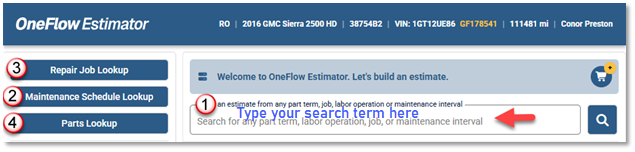
You can start estimating in several ways:
- Search by keyword – Type what you need, like “brake pads”
- Maintenance Schedule Lookup – Service details, labor times + parts & fluid specs
- Repair Job Lookup – View vehicle-specific repair jobs based on the VIN
- Parts Lookup – Browse categories if you prefer to start with parts first
All methods are designed to simplify the same end goal: building a complete estimate faster.
VIN-Specific Accuracy Built In
OneFlow Estimator requires a VIN, helping ensure results are tied to the exact vehicle being serviced. That means more relevant jobs, parts and labor selections – reducing guesswork and improving estimate confidence.
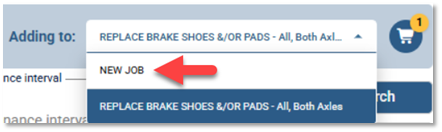
By default, OneFlow Estimator automatically creates new jobs. To add content to an existing job – such as one created from a Multi-Point Inspection (MPI) on the Order screen – simply select that job in the Adding To selector on the Order screen.
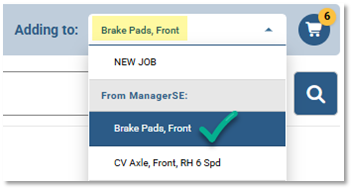
How It Works: Build an Estimate in Minutes
Type a Search Request
Using OneFlow Estimator is simple and intuitive. With a Manager SE estimate or Repair Order (R.O.) selected, open OneFlow Estimator to access the lookup screen.
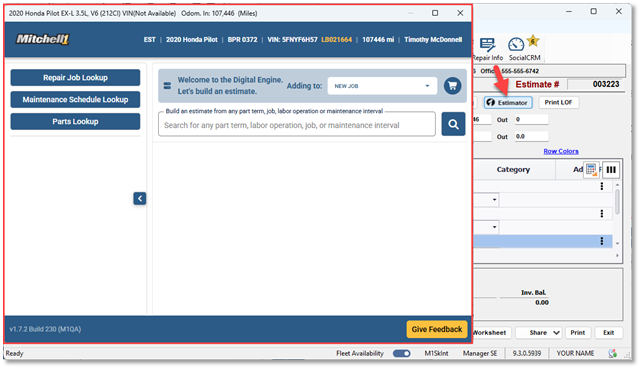
From there, type a search request such as “brake pads” and click Search (or press Enter) to view results.
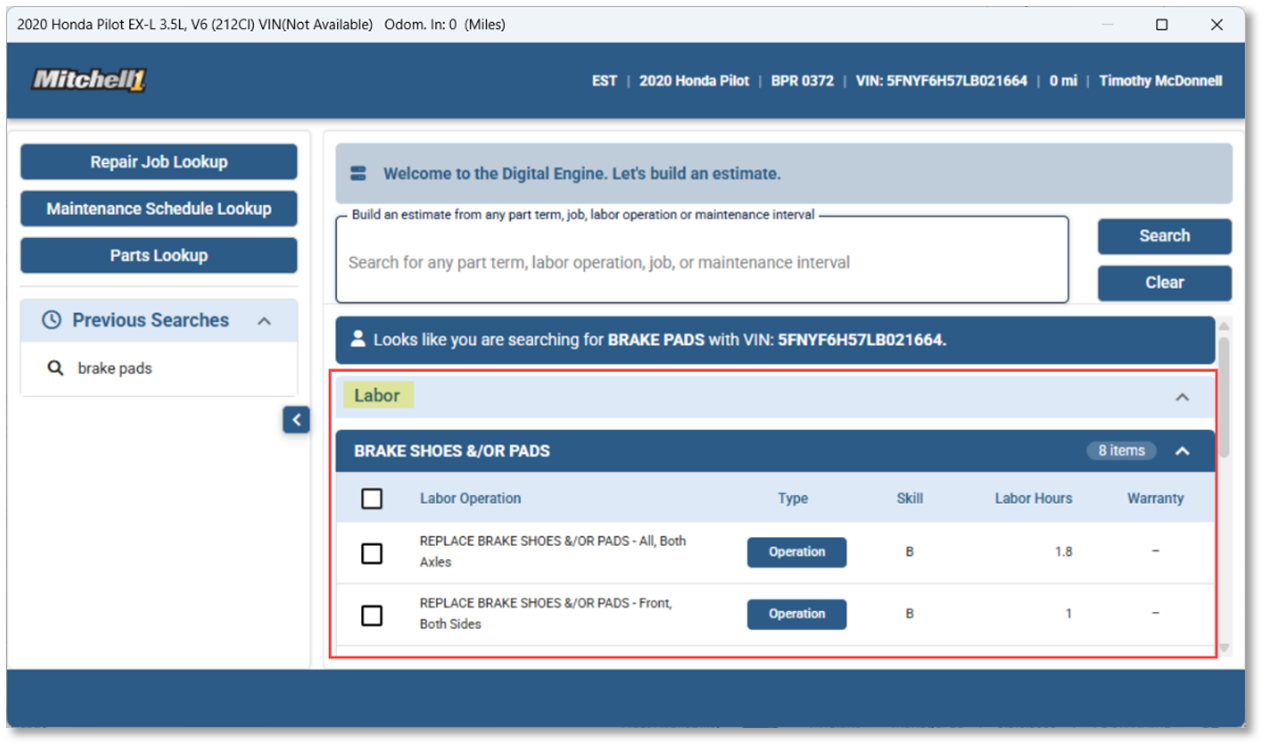
Select Labor and Parts
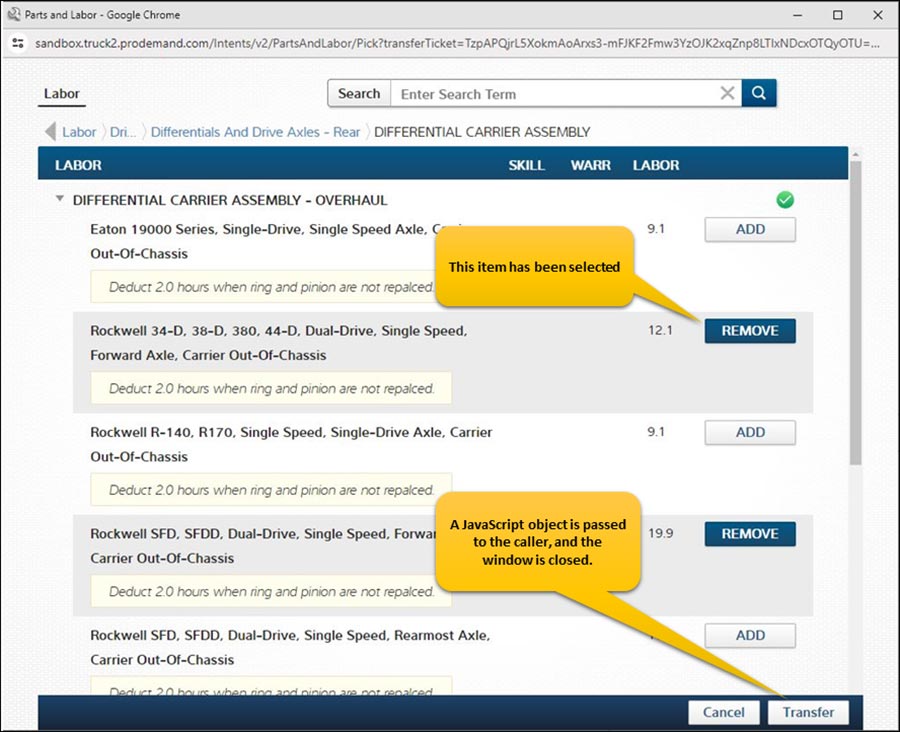
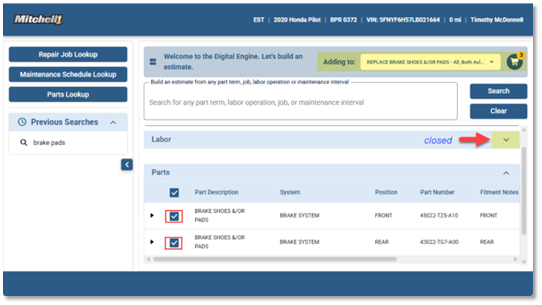
Choose the appropriate labor option by checking the box. The Adding To field confirms the selected labor item and automatically names the Job View container with this.
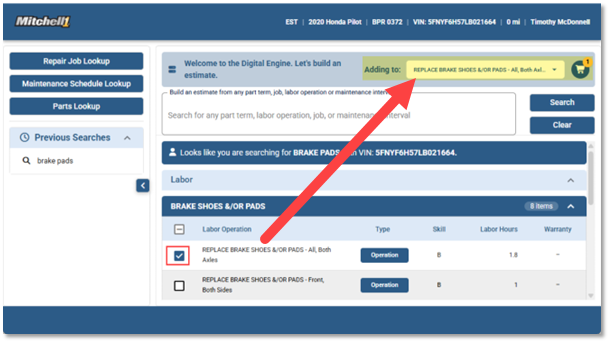
Next, collapse the Labor section using the triangle to view the list of part options. Match your labor items with the appropriate components, such as front and rear brake pads, to build a more complete estimate as you go.
Estimate Builder: Review, Refine and Transfer
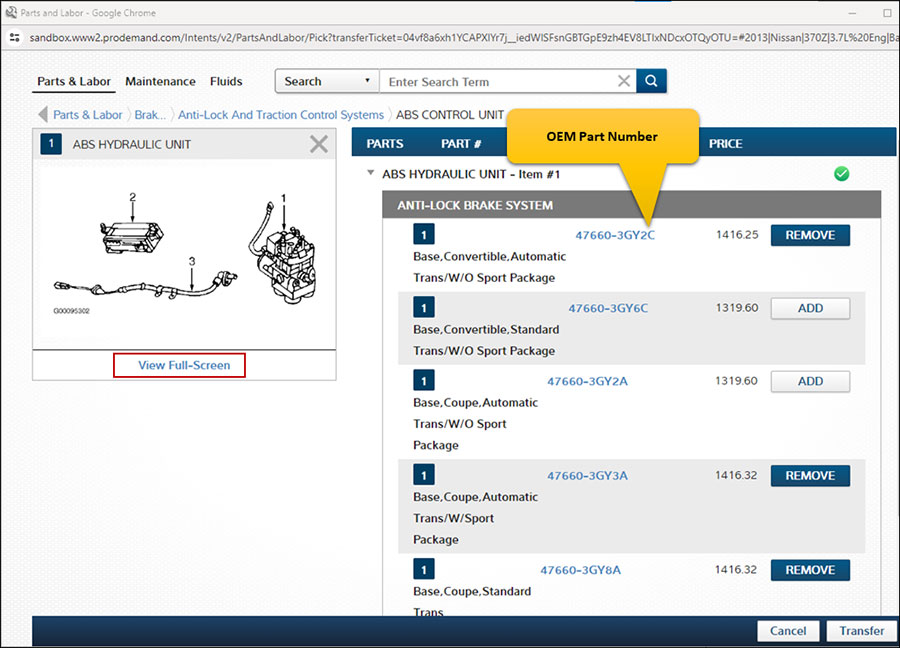
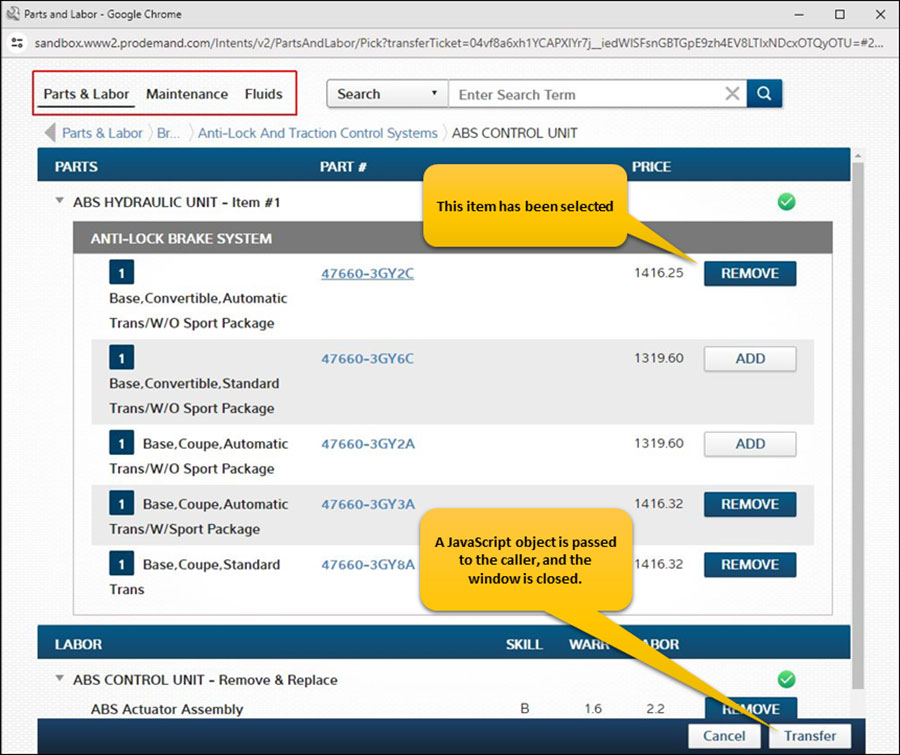
Once items are selected, users can review everything in the Estimate Builder, adjust values if needed, and click on Transfer the job items together into Manager SE estimate.
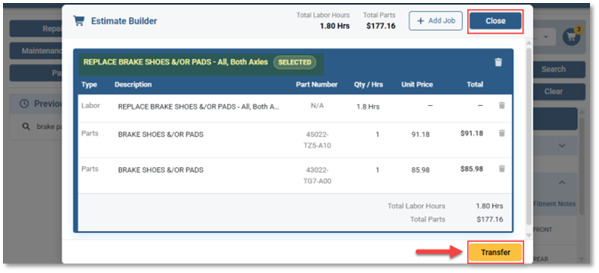
If you forgot something for the current job, simply click Close to return to the Labor and Parts selection screen.
If you need to add items for a different repair, switch from the existing job and choose New Job inside the Estimate Builder before making your additional selections.
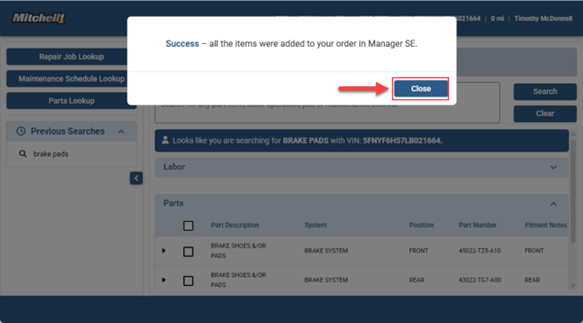
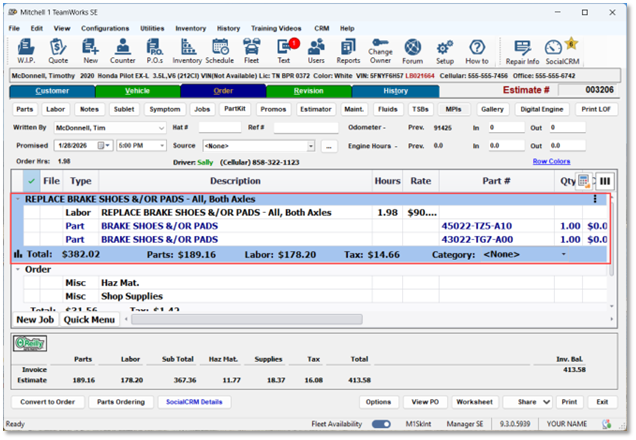
Once complete, a success message confirms the selected items have been transferred to Manager SE, where they appear neatly organized in a new Job View container.
Job View: Organized Jobs, Clearer Estimates
Related parts and labor selections appear neatly organized inside a Job View container for each job transferred. This helps keep orders clear, professional and easy for customers to understand.
Estimate Smarter. Keep Work Moving.
OneFlow Estimator helps eliminate bottlenecks and modernize one of the most time-consuming parts of the repair process.
Powered by the Snap-on® Digital Engine and backed by billions of real-world repair orders, it delivers faster, smarter estimates with greater accuracy, helping shops save time, improve consistency and keep work moving.
Major Benefits
When shops spend less time building estimates, they gain more time for what really drives revenue:
- Serving more customers
- Increasing estimate consistency
- Speeding approvals
- Keeping vehicles moving through the shop
Better Together with OneFlow Inspections
OneFlow Estimator becomes even more powerful when paired with OneFlow Inspections.
That means shops can move smoothly from Inspections → Estimates → Invoices
It’s an all-in-one connected process within Manager SE , with everything clean, organized and ready for customer approval.
To learn more, book a free demo today!