One of this year’s industry buzzwords is “ADAS” or Advanced Driver Assistance Systems. If you aren’t familiar with that term, perhaps you’ve heard of some of the specific features like adaptive cruise control, back up cameras, lane departure warnings and automatic parking, to name just a few. While these features have been around since 2000, they’ve really been catching on in vehicles since about 2014.
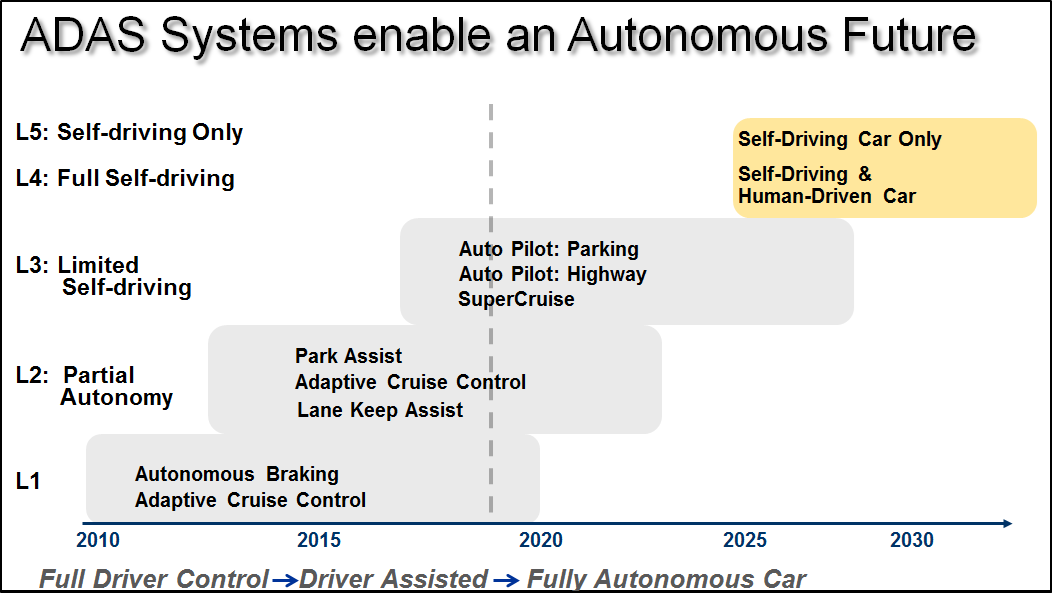
In addition to providing “right now” benefits to driver and vehicle safety, these sensors and systems enable the promise of what’s called the “L5”Autonomous vehicle – self driving where even the steering wheel is optional! There is some debate about when we’ll really start seeing these and when they’ll really be relevant in the car parc, but we already have L1 to L3 systems in place today.
With all new technology comes trade-offs in terms of the service and repair of vehicles. The modern vehicle is aware of its surroundings and is increasingly able to deliver relevant information to its driver based on external factors. However, it is essential that the sensors, cameras, radar and laser radar systems that feed critical information to the computer systems are properly calibrated at all times. They’re calibrated at the factory, but many factors can cause them to go“out of calibration.”
For example, let’s say you’re replacing an A/C condenser on a car and you remove the forward camera/radar unit located behind the grille to gain access to the condenser.Now when your A/C condenser job is complete, that forward camera/radar needs to be re-calibrated, as it could be mounted slightly differently than before.
Perhaps a simpler example would be a four-wheel alignment on a car and the rear thrust angle needs to be adjusted. On most vehicles equipped with ADAS features, calibrations will need to be performed after that alignment. For instance, a 2016 Audi A8 Quattro equipped with adaptive cruise control and a lane change assist system adds 2.2 hours of labor time for calibration to the1.8 hours already assumed for the alignment.
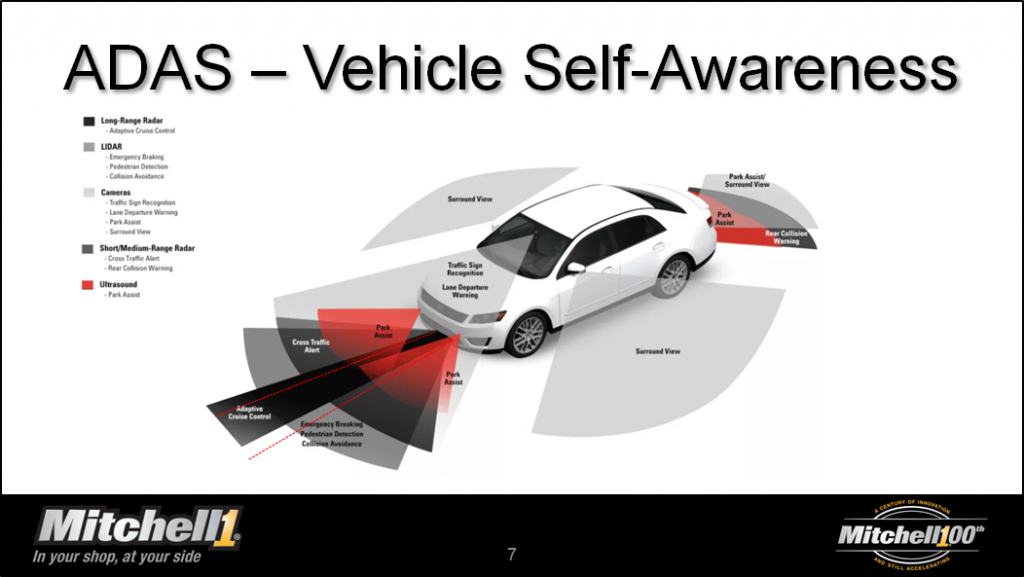
And then you need SPACE! For a 2017 Toyota Camry, a very mainstream vehicle, you must have 1,500 square feet in front and to the sides of the vehicle – that’s 33 feet in front and 46 feet on the sides. Who has that kind of space? In fact, to cover the majority of vehicles on the road, you’ll need a space about 81 feet long (with the car in the middle of it) and about 46 feet wide. That’s over 3600 square feet of floor space. And it must be on a level surface and indoors since the ambient light can affect it as well.
And how do you know when the components need calibration? Some require targets and fixtures while others can be “dynamically” calibrated by initiating a drive cycle. Most require a scan tool to support the calibrations.
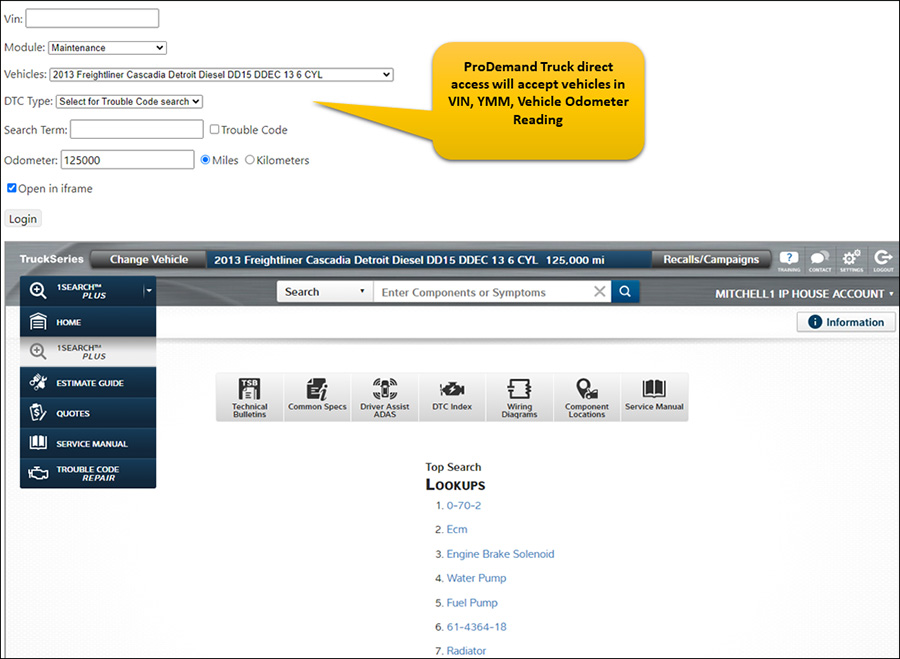
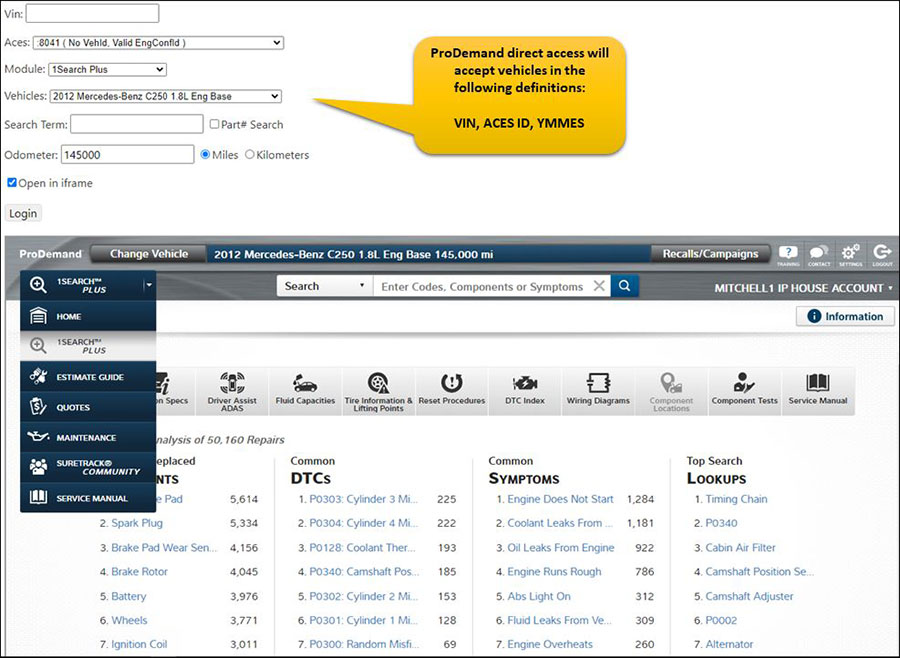
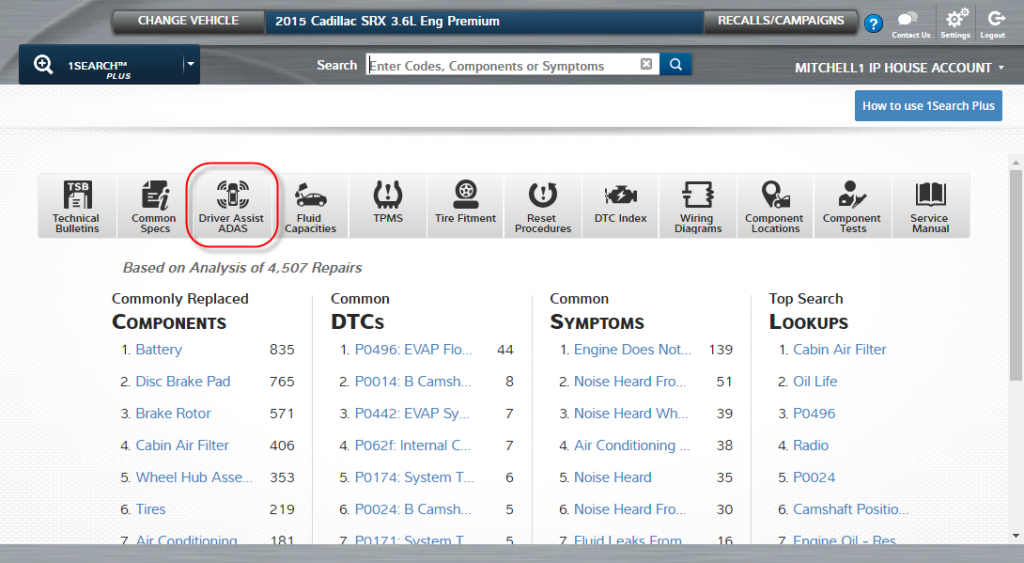
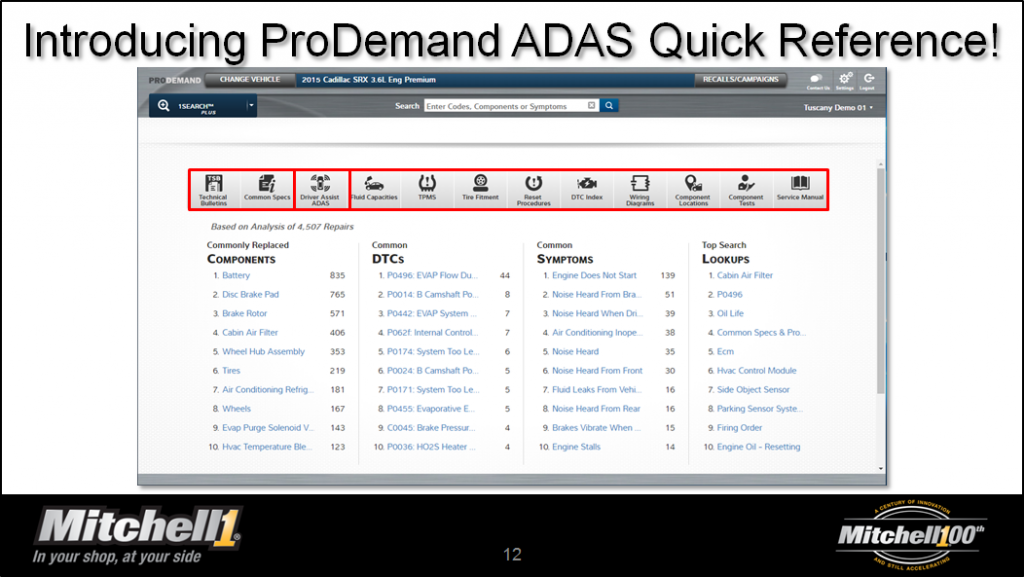
Mitchell 1 can’t solve all of those problems, but we have added an ADAS feature to our Quick Link ribbon in our ProDemand auto repair information software.If you’re not familiar with the Quick Link ribbon, this is a feature of the software that provides quick reference information for a variety of jobs. Sometimes you may just want to know specs, or how to reset a TPMS or find a wiring diagram quickly. Here’s where you would come for that! The ADAS Driver Assist Quick Link (shown below) provides quick access to the ADAS functionality available on the particular vehicle you are working on in your bay!
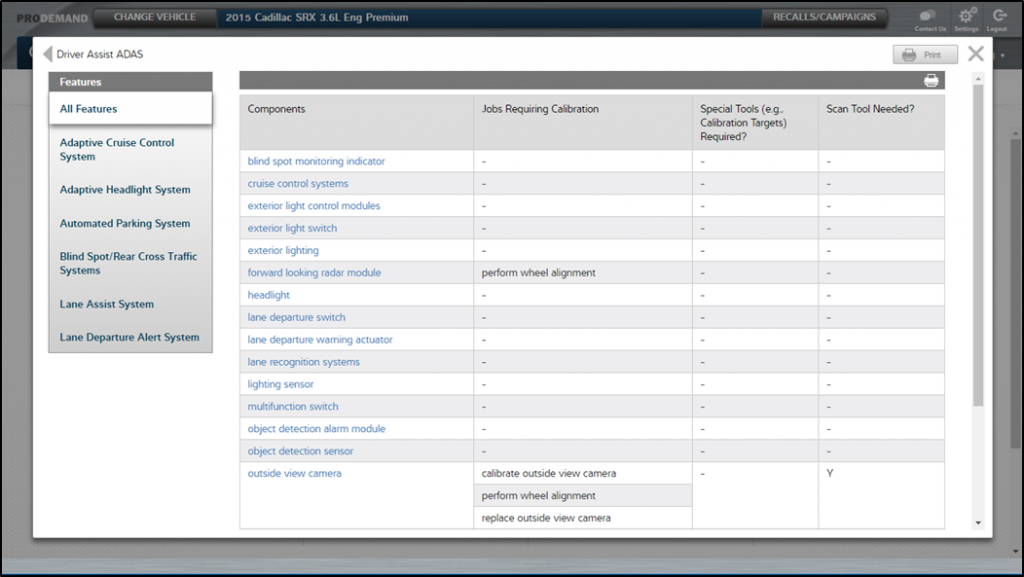
The picture below shows the ADAS quick reference for a 2015 Audi A6. On the left are the features that ProDemand considers to be part of the ADAS category. The table to the right shows the components that may be installed and the jobs you might perform that will require the component to be calibrated. ProDemand also lets you know if the job requires special tools such as targets and if a scan tool is required.
As modern vehicles becoming more prevalent in the vehicle parc, you’ll start to see ADAS-equipped vehicles pull up to your shop more and more. Will your shop be prepared to repair and service these vehicles?
Using ADAS in ProDemand – A Step-by-Step Guide
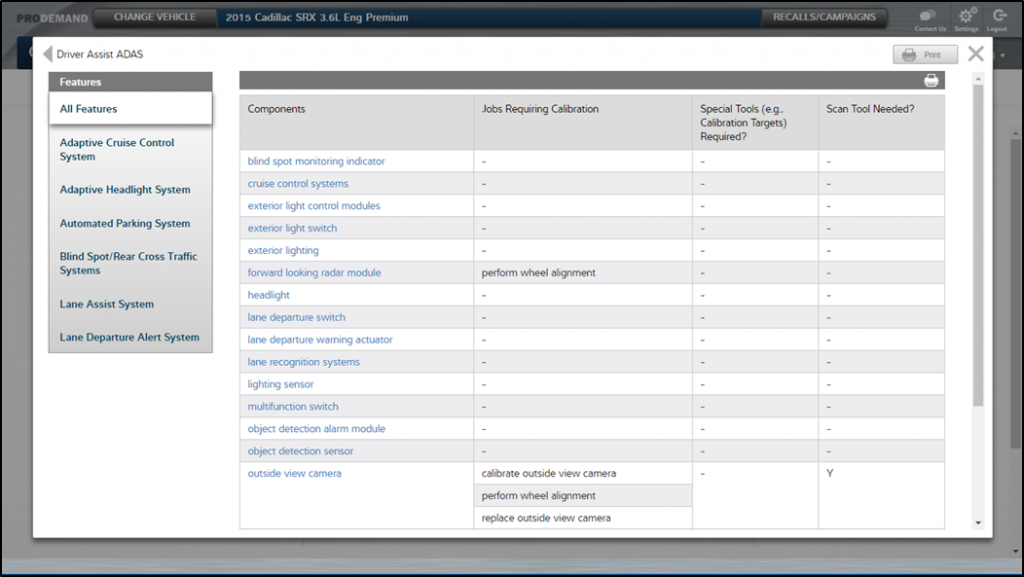
Step 1: Once you have selected the vehicle, navigate to the Quick Link ribbon mentioned previously and select the “Driver Assist ADAS” quick link.
As seen below, you will get an overview of all ADAS features on the selected vehicle.
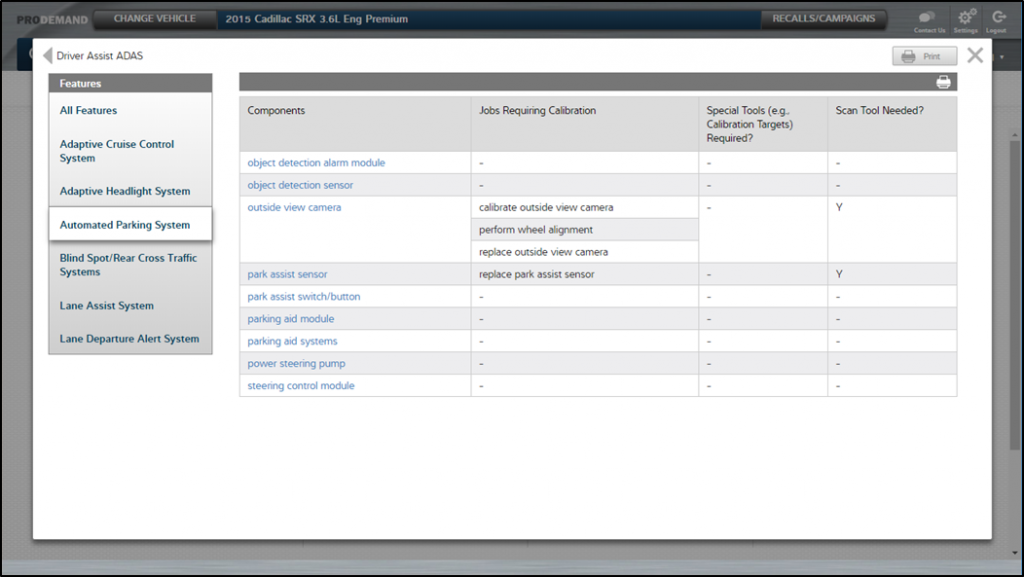
Step 2: Choose the feature on the left-hand side you will be working with. And now ProDemand will display only those sensors, cameras and other components which contribute to the operation of that feature. In this case, we have selected the “Automated Parking System.” If you have one component you’re interested in, simply select it. This will take you to the 1Search Plus card interface.
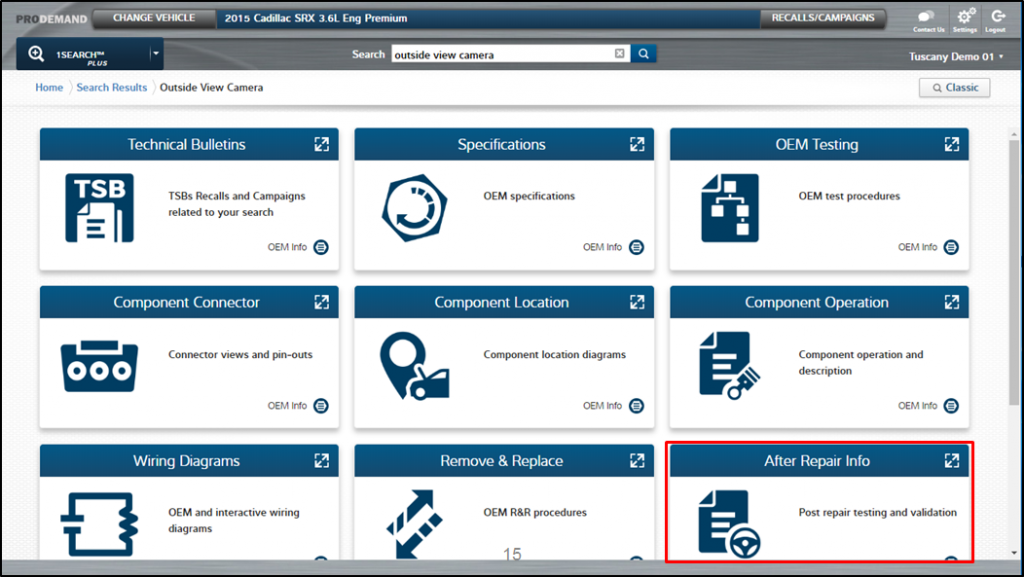
Step 3: So now displayed is every information type we have on the selected component. If you want to calibrate,select the “After Repair Info” card.
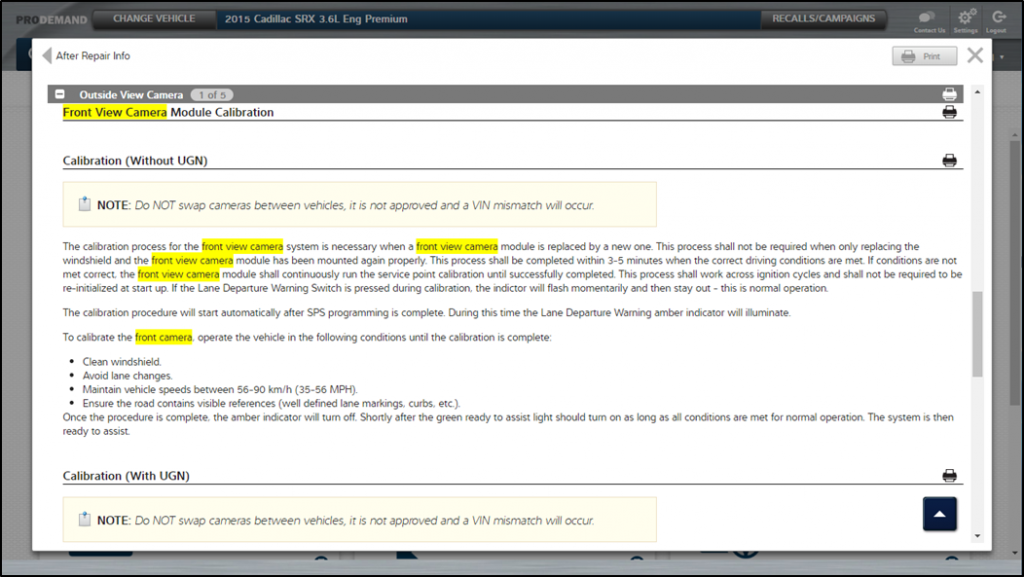
Now, you have quickly navigated to the calibration procedure!
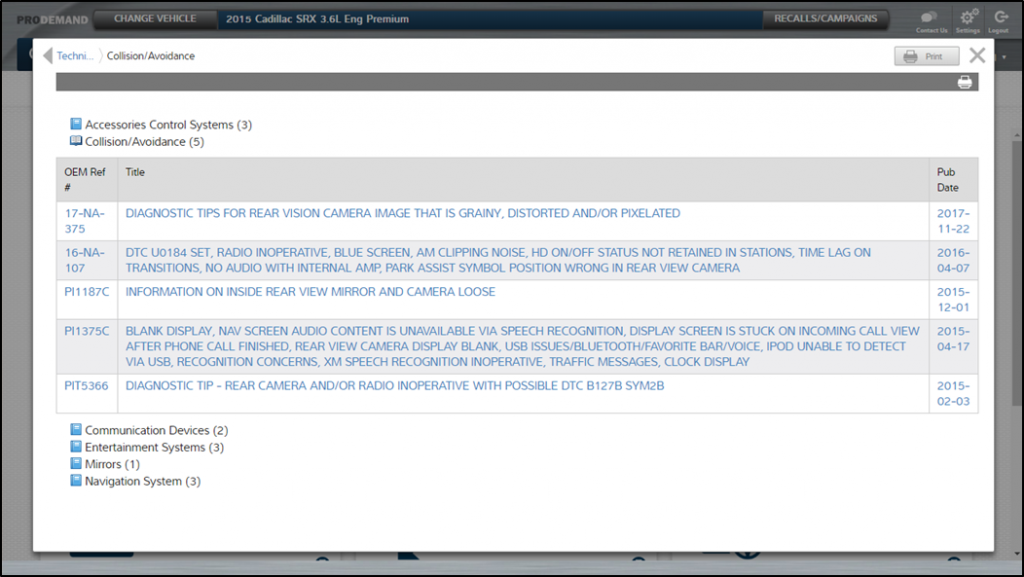
Step 4: Go back to your1Search Plus card-format menu and navigate to “Technical Bulletins.” This is going to be an important area for you to visit because as these new technologies continue to develop there will be continuous improvements in the factory, increasing the releases of important TSBs.
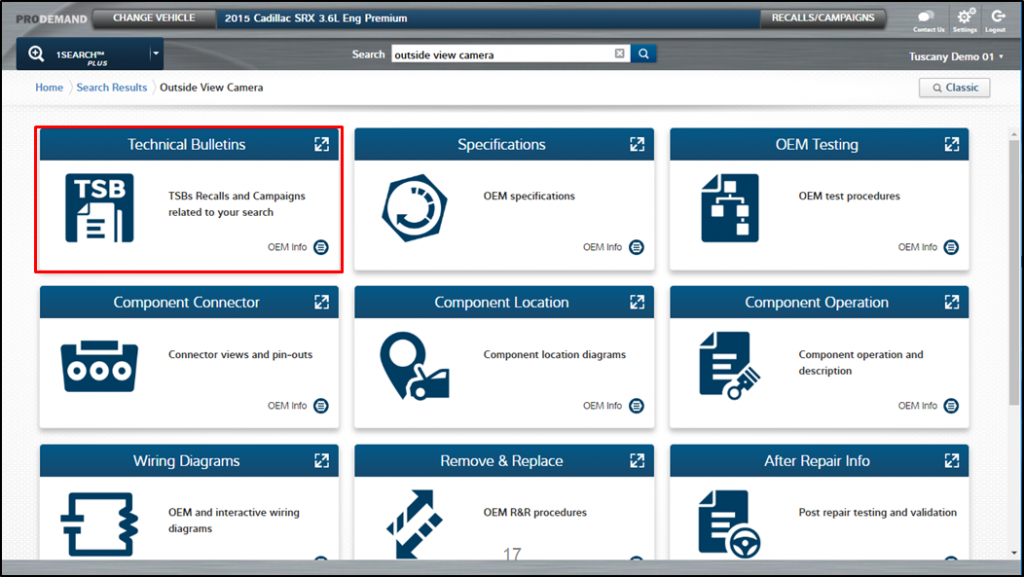
As you can see, many new features (TSBs) have been added in this example.
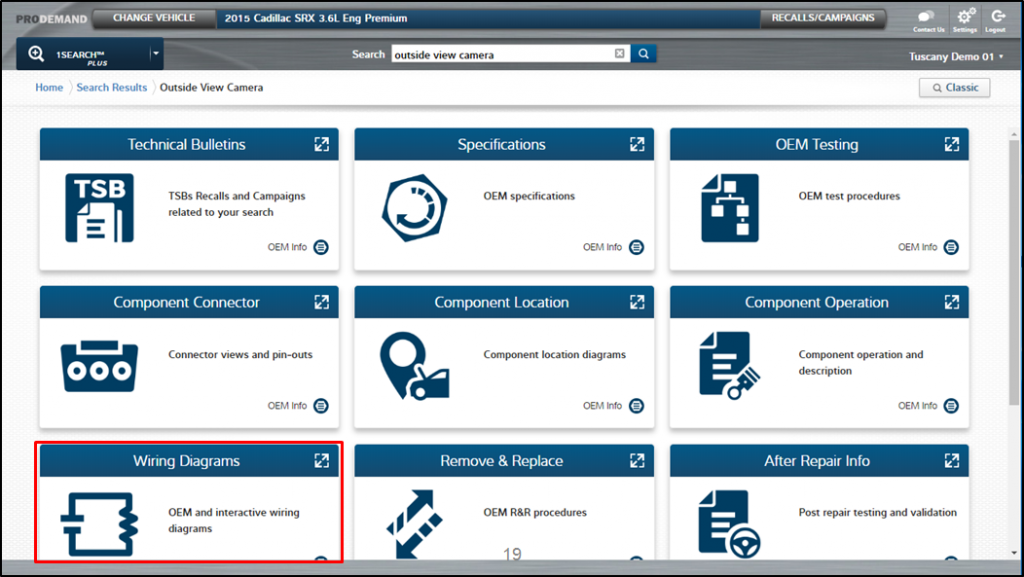
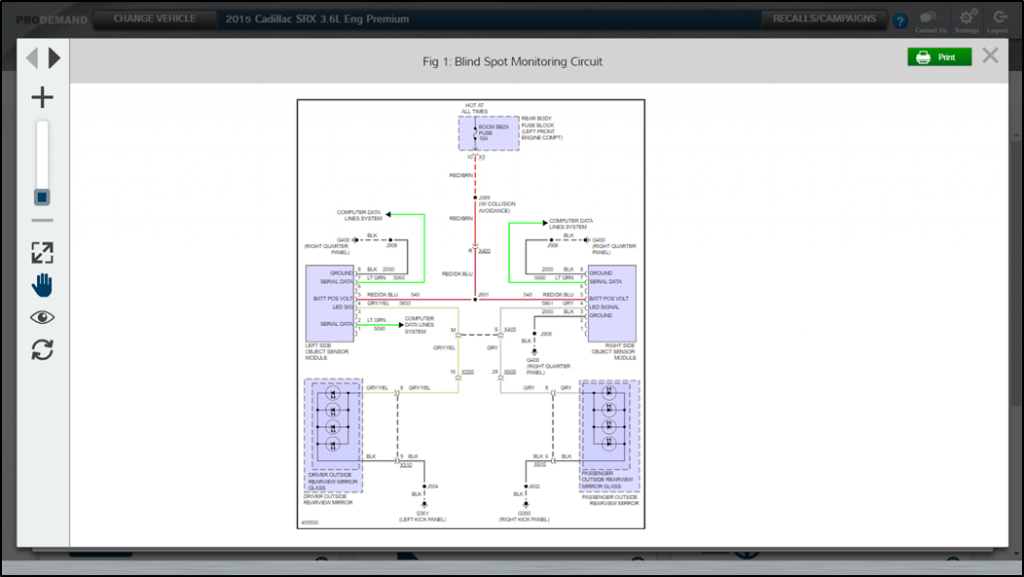
Step 5: When you navigate back to the 1Search Plus screen, you can also click on “Wiring Diagrams.” This is where you will find our renowned color wiring diagrams.
As always, you can customize the wiring chart for your specific needs.
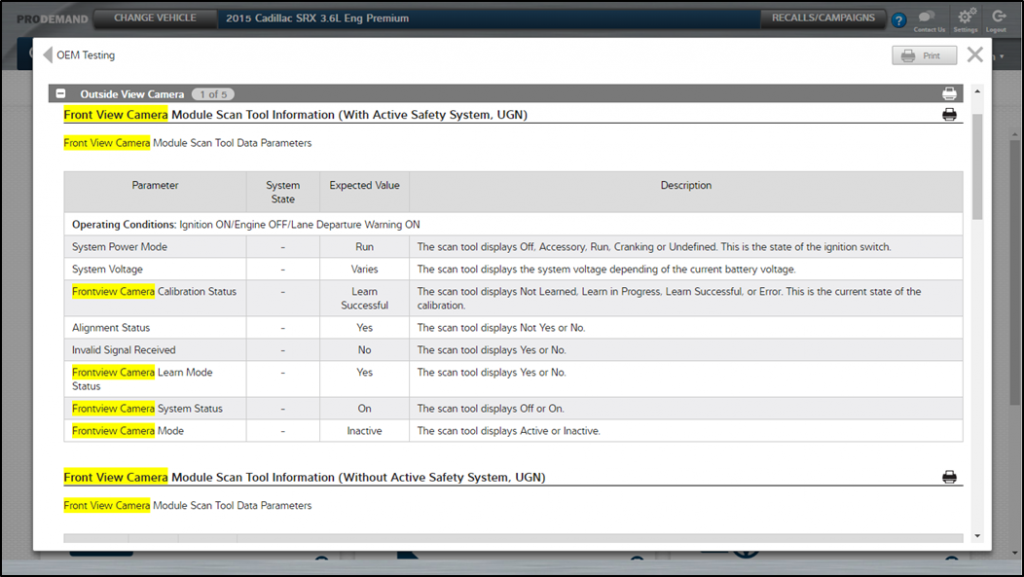
Step 6: You can also select the “OEM Testing” procedures when you are trying to diagnose the system.
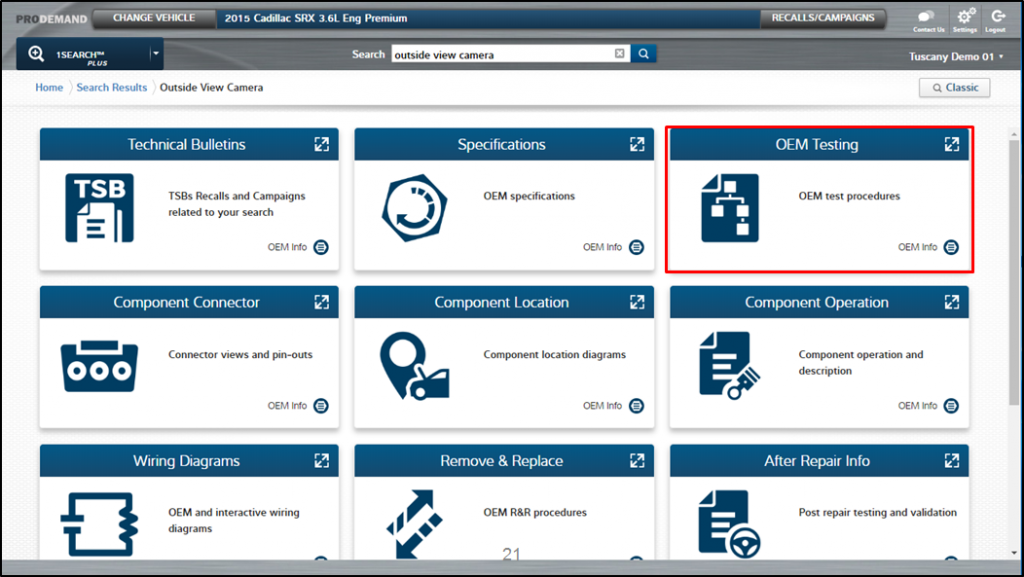
These are going to be very important as we learn how these systems operate, and how they behave when they’re not operating as they should.
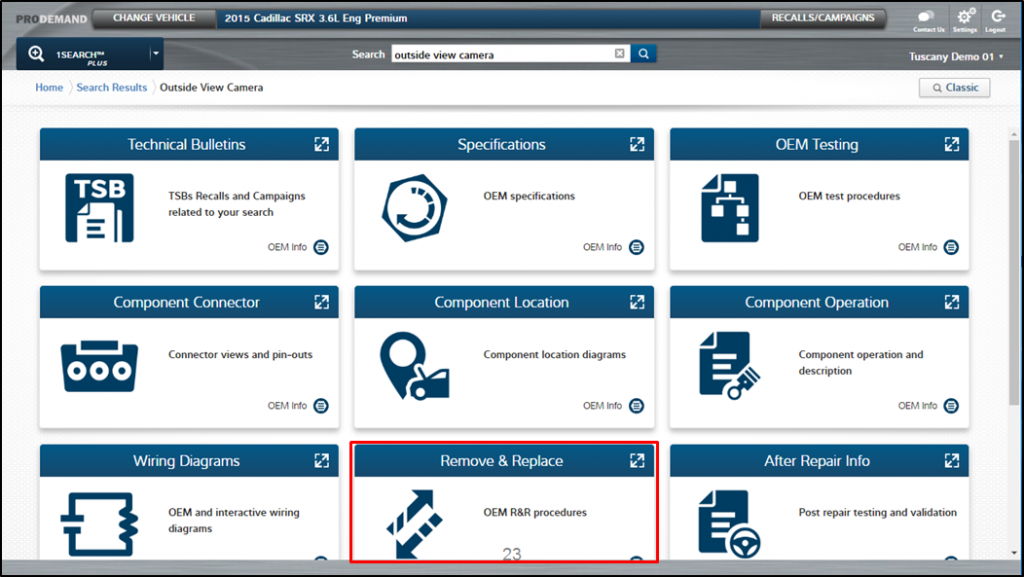
Step 7: Once you have made a diagnosis, choose the “Remove & Replace”card to get the procedures to PROPERLY replace the part.
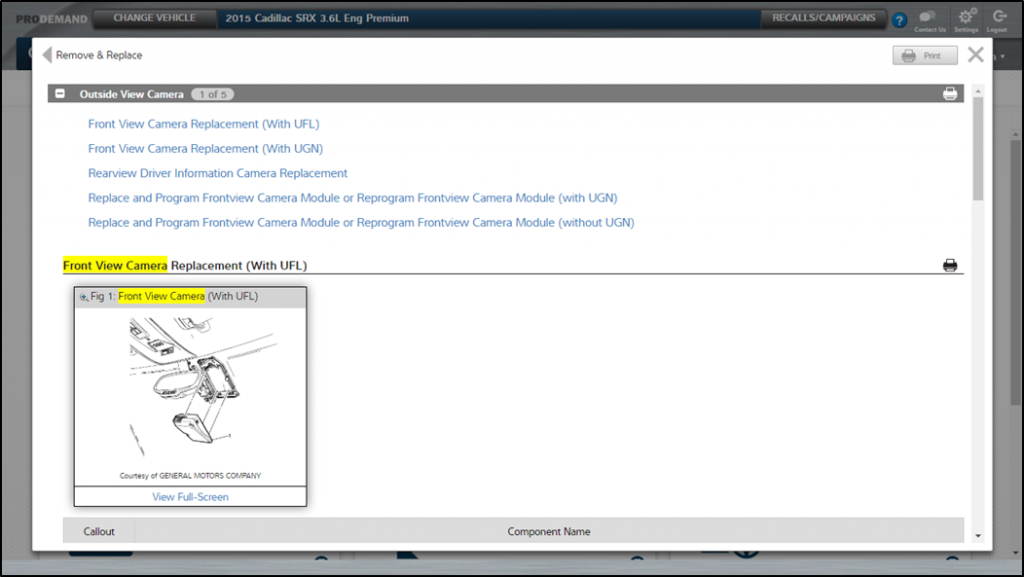
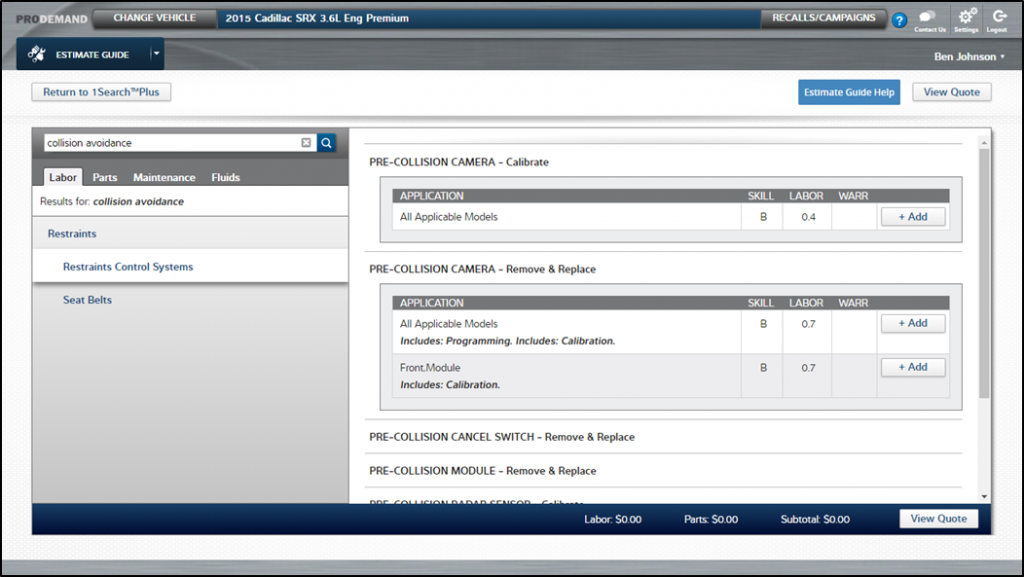
 NOTE: You can even find ADAS components in our estimating guide.

So that’s a bit about ADAS and how Mitchell 1 is helping make sure the shop owners and their technicians are properly informed, so they can keep the vehicles operating as intended by the vehicle manufacturers.
For more information on ADAS: