The beauty of this tip is that you can apply it to more than just ProDemand. Feel free to create desktop shortcuts to your favorite websites so they’ll be available on your computer desktop for easy access.
1) Open Google Chrome.
2) Navigate to www.ProDemand.com
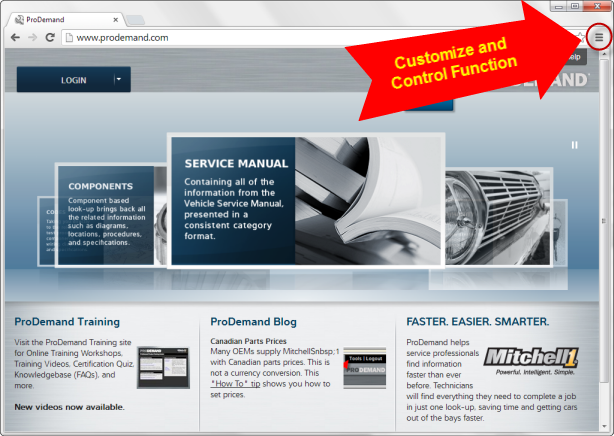
(***Very important*** Make sure when you create the shortcut, that you do so from www.prodemand.com and NOT AFTER you log in. See screen below. If you create the shortcut after you log in, your shortcut will be to a sub-directory of ProDemand and you may not always experience all of the latest features of ProDemand.)
3) Select the “Customize and Control” function in the upper right hand corner of the browser screen.
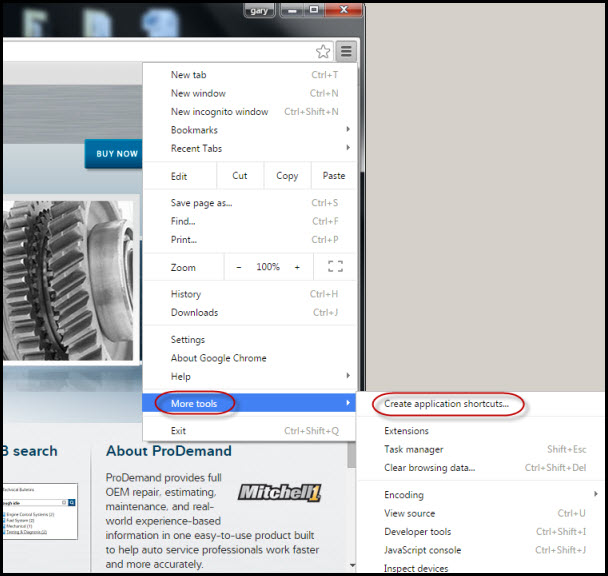
4) Select the “More tools” option, and another “fly-out” menu will open. From this fly-out menu, select “Create Application Shortcuts…”
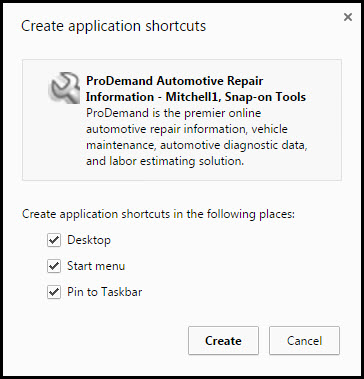
5) Follow Google Chrome’s process and select the “Create” button to make your desktop shortcut. You can also choose to add a shortcut in the start menu and the taskbar.
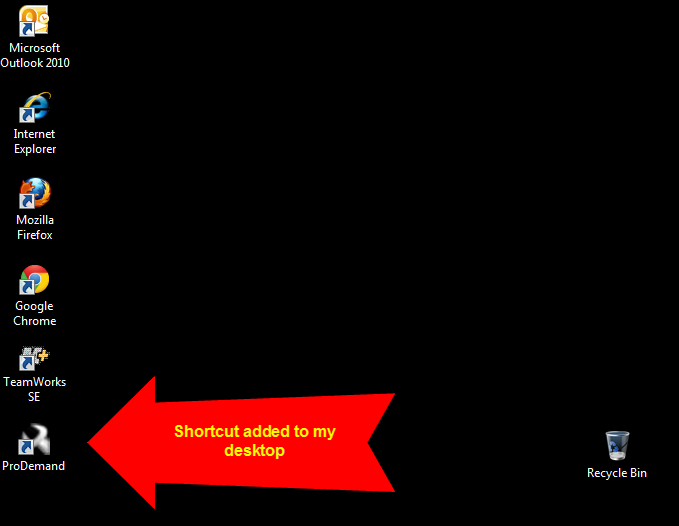
6) Now you have a shortcut added to your computer’s desktop linking you directly to ProDemand when you click the icon.