• Skip to primary navigation
  • Skip to main content
  • Skip to footer

Mitchell1

Free DemoFind My RepBuy Now

  • Products
        • Repair

          ProDemand

          Repair Information for Autos and Light Duty Trucks

          TruckSeries

          Repair Information for Class 4-8 Trucks
        • Manage

          Manager SE

          Shop Management for Autos & Light Duty Trucks

          Manager SE Truck Edition

          Shop Management for Class 4-8 Trucks
        • Market

          Social CRM

          Shop Digital Marketing

          LocalSearch

          Shop Marketing Service to Acquire Customers

          Google Ads

          Shop Marketing Service to Get Found
        • New

          ProDemand+

          Complete mechanical and collision repair information for cars, SUVs and light-duty trucks
  • Resources
        • About Us

          We are a trusted software partner for today’s repair shops.

          Testimonials

          See how real shops succeed 
with Mitchell 1.

          Careers

          Join a team dedicated to providing shops with tools they need to succeed.
        • PRODUCT TRAINING

          ProDemand

          Repair Information for Autos and Light Duty Trucks

          Manager SE

          Shop Management for Autos & Light Duty Trucks

          TruckSeries

          Repair Information for Class 4-8 Trucks
        • LIBRARY

          SocialCRM

          Shop Digital Marketing
        • TOOLKIT

          Marketing Materials

          Referrals

          API Request

  • Articles
        • Press Releases

          Company news, product updates, and announcements from Mitchell 1.
        • ShopConnection Blog

          Industry trends, shop tips, and practical insights to help you work smarter.
  • Contact
        • Customer Support

          Customer Accounts

          Technical Support

          Product Content

          SocialCRM Marketing Support

        • Contact

          (888) 724-6742

          dashicons-facebook-alt dashicons-instagram dashicons-linkedin dashicons-twitter dashicons-youtube

  • Account
        • Pay My Bill

          Quickly and securely manage payments for your Mitchell 1 services.
        • LOGIN

          ProDemand

          TruckSeries

          SocialCRM

          OwnerAutoSite

        • Find My Rep

          Buy Now

          (888) 724-6742
          dashicons-facebook-alt dashicons-instagram dashicons-linkedin dashicons-twitter dashicons-youtube

Shop Connection Blog

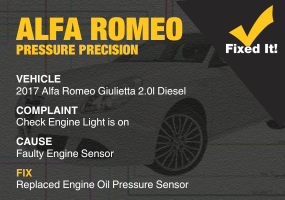
2017 Alfa Romeo Giulietta 2.0l Diesel
SureTrack Real Fix: 2017 Alfa Romeo Giulietta 2.0l Diesel
July 10, 2025
Check engine light on in a 2017 Alfa Romeo Giulietta? A faulty engine oil pressure sensor triggered code P1541. Diagnostics confirmed proper oil pressure but incorrect sensor readings. Replacing the sensor resolved the issue—live data returned to normal, and the warning light stayed off after a successful road test.
Read More
Truck competition winner Brandon Kirtley standing outside
Mitchell 1 Congratulates Service Information Station Winner at the 2025 Arkansas Technician Championship
July 8, 2025
Mitchell 1 was honored to support the Service Information Skills station at the Arkansas Technician Championship, held Friday, June 26, at the Embassy Suites Convention Center in Rogers, Arkansas. It’s always a highlight for our team to take part in these competitions and see firsthand the incredible talent and dedication of the technicians who keep our industry moving.
Read More
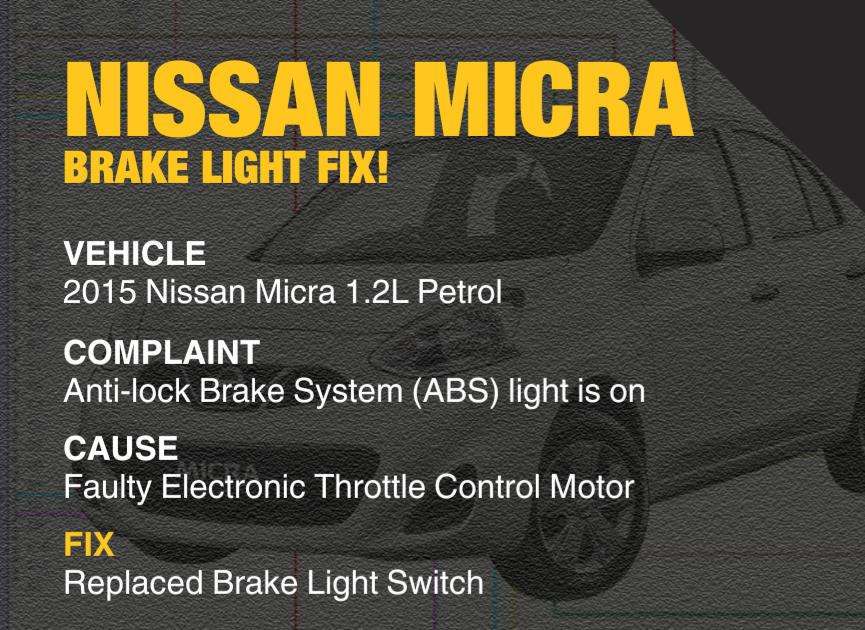
2015 Nissan Micra
SureTrack Real Fix: 2015 Nissan Micra 1.2L Petrol
July 3, 2025
ABS light on in a 2015 Nissan Micra? A faulty brake light switch was the culprit. Diagnostics confirmed intermittent continuity despite intact wiring and fuses. Replacing the switch resolved the issue—no more warning lights, and the system now functions flawlessly. A simple fix for a potentially confusing warning.
Read More
Social media post graphic with automotive service image
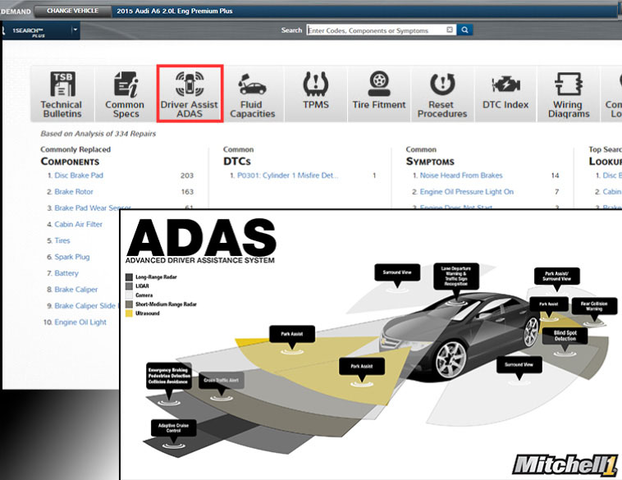
ADAS in the Auto Repair Shop: What You Need to Know Now
June 26, 2025
ADAS features like lane keeping and emergency braking rely on sensors easily disrupted during common repairs. Even minor misalignments can cause major issues. Auto shops must recalibrate ADAS components after work like alignments or windshield replacements to ensure safety. Staying informed and using tools like ProDemand is essential.
Read More
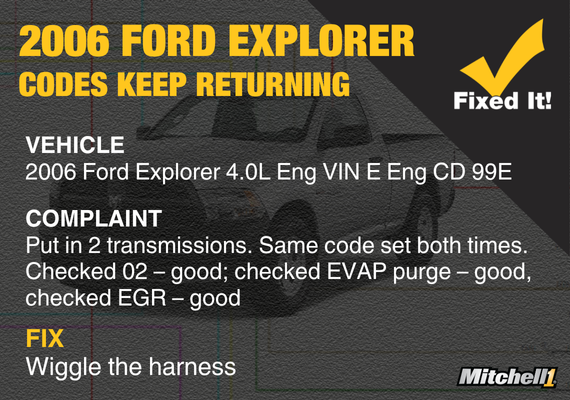
2006 Ford Explorer Real Fix diagnostic blog image
SureTrack Real Fix: 2006 Ford Explorer 4.0L Eng VIN E Eng CD 99E
June 20, 2025
A 2006 Ford Explorer repeatedly set codes P0161, P0403, P0443, P0645, and P0713—even after two transmission replacements and thorough sensor checks. The root cause was poor pin fitment or contamination near the EGR valve and PCM connector. Wiggling the harness while monitoring PIDs confirmed the intermittent connection issue.
Read More
Password reset confirmation screen
Trouble Logging In? Reset Your Password in Minutes
May 23, 2025
Do you have about a million passwords floating around in your head? If you’ve forgotten your password -- or need to reset your password -- to access ProDemand or TruckSeries repair information software, it’s quick and easy! Just follow these steps...
Read More
Mitchell 1 blog excerpt graphic
SureTrack Real Fix: 2015 Ford Transit – Crank No Start
May 12, 2025
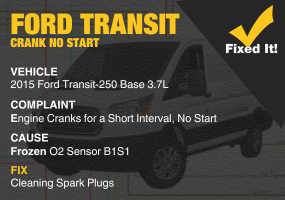
2015 Ford Transit-250 with a 3.7L engine had a short crank issue despite starter replacement. No crank signal was detected. After verifying wiring and replacing the crank sensor, the issue persisted. Cleaning spark plugs and using wide-open throttle during cranking restored engine start and resolved the problem.
Read More
« Previous 1 … 5 6 7 8 9 … 80 Next »

Categories

  • Auto Repair Blog
  • SureTrack Real Fixes
  • Truck Repair Blog
  • Shop Management Blog
  • Shop Marketing Blog
  • Mitchell 1 Blog

Search

Keep in Touch

Be the first to learn about the freshest news, insights, and stories from our community.

This field is for validation purposes and should be left unchanged.

The trusted partner for professional
repair shops since 1918. Powered by
Snap-on.
dashicons-facebook-alt dashicons-instagram dashicons-linkedin dashicons-youtube dashicons-twitter
(888) 724-6742

Products

ProDemand
TruckSeries
Manager SE
Manager SE Truck Edition
SocialCRM
LocalSearch
Google Ads

Resources

About Us
Testimonials
Careers
Product Training | ProDemand
Product Training | Manager SE
Product Training | TruckSeries
Library | SocialCRM
Toolkit | Marketing Materials
Toolkit | Referrals
Toolkit | API Request

ARTICLES

Press Releases
Shop Connection Blog

CONTACT

Customer Accounts
Technical Support
Product Content
SocialCRM Marketing
Support

ACCOUNT

Pay My Bill
Login | ProDemand
Login | TruckSeries
Login | SocialCRM
Login | OwnerAutoSite

© 2026 Mitchell Repair Information Company, LLC. A Snap-on company. All rights reserved.

Privacy Policy Terms of Use Cookie Settings Accessibility

Thank you

Check Mark

A Product Trainer will contact you within two business days to schedule a one-on-one training session.

Thank you

Check Mark

We’ve received your request for technical support. A Technical Support Specialist will contact you within 1 business day.

Thank you

Check Mark

Your Target Market Request form has been sent. Your SocialCRM support agent will contact you to discuss any specifics, if needed.

Thank you

Thank you for submitting your feedback to the Software Development Team. All submitted feedback is reviewed. If our software development team has any questions, we may contact
you to get additional information.

Thank you

Thank you for your interest in Mitchell 1’s SocialCRM solution.

A product specialist will contact you within 1 business day to show you the features and benefits of our shop marketing solution.

In the meantime, check out our ShopConnection Blogs for great time-saving tips and tricks!

Thank you

Check Mark

Your response has been received. If you have any further questions or require additional assistance, please contact Customer Care by calling 888.724.6742.

Thank you

Your request has been sent.

A Product Content Support agent will respond normally within one business day or sooner.

If you have an issue that cannot be addressed by email or requires immediate assistance, please call our Product Support department at .888.724.6742 and select option 4.

Thank you for choosing Mitchell 1

Thank you

Check Mark

Thank you for your interest in Mitchell 1 products. A Customer Service Agent will contact you within 1 business day.

Thank you

Thank you for notifying us of suspected unauthorized use and/or access to Mitchell 1 products. Your information will remain confidential. A representative from Mitchell 1 may contact you to gather additional details about the reported piracy activity. Should you have any questions, or wish to add additional information, please email [email protected].

Thank you

We have received the information for your business website from SocialCRM LocalSearch.

Your SocialCRM support agent will contact you within 5 business days to take the next step in creating your new website.

If you have any questions, please call 888-724-6742 – Option 5.

Thank you for being a SocialCRM customer!

Thank you

Thank you for your interest in SocialCRM.

Your request has been submitted.

You will receive a copy of the information you submitted at the email address provided.

If you have an issue that requires immediate assistance, call us at 1-888-724-6742.

Thank you

Check Mark

Please allow 30 business days for your request to be processed.

Thank you

Check Mark

We’ve received your request for assistance with your Mitchell 1 account. A Customer Service Agent will contact you within 1 business day.

Thank you

Check Mark

We’ve received your request for a call back. A Customer Service Agent will contact you within 1 business day.

Thank you

Check Mark

Thank you for contacting Mitchell 1 to discuss data integration opportunities. Clients who meet the requirements will be contacted to discuss a potential opportunity.

Thank you

Check Mark

Your upgrade request for Accounting Link has been received. A Customer Service agent will contact you shortly.

Thank you!

Check Mark

Your details have been successfully submitted!

Medium and Heavy-Duty Truck – Class 4-8 Website Launcher – ProDemand Truck Series

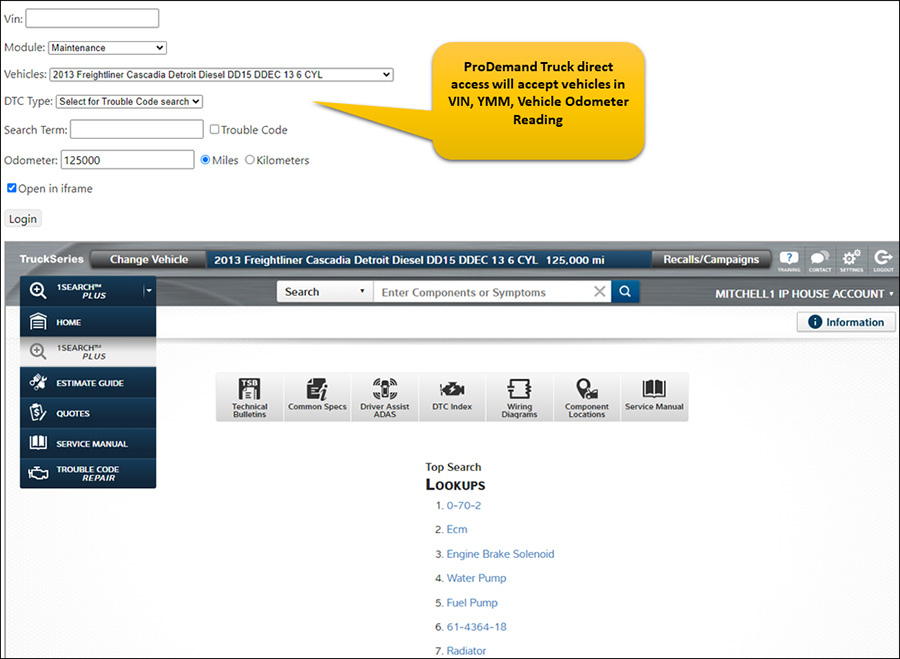
Direct Access—Pass-Through (transfer ticket) streamlines access straight into ProDemand Truck. Depending on the configuration, this workflow uses the user/password credentials or an account number. Your users can launch into ProDemand Truck, assuming they already have an active subscription.

  • This allows an invoking application to pass the searchTerm value, VIN, and YMM vehicle identity and launch the full ProDemand Truck application
  • Trouble Code Search Option
  • Allows the end-user to interact with it directly
  • It does not allow any information to be transferred from ProDemand back to the invoking application

api Website Launcher

Medium & Heavy-Duty Truck – Website UI Integration – ProDemand Truck Labor

ProDemand Medium and Heavy-Duty Truck Class 4-8 has the following mechanisms for application-level integration with our repair content: (Labor)

Your users can launch the ProDemand Medium & Heavy-Duty Truck UI sub-sections, assuming they already have an active subscription.

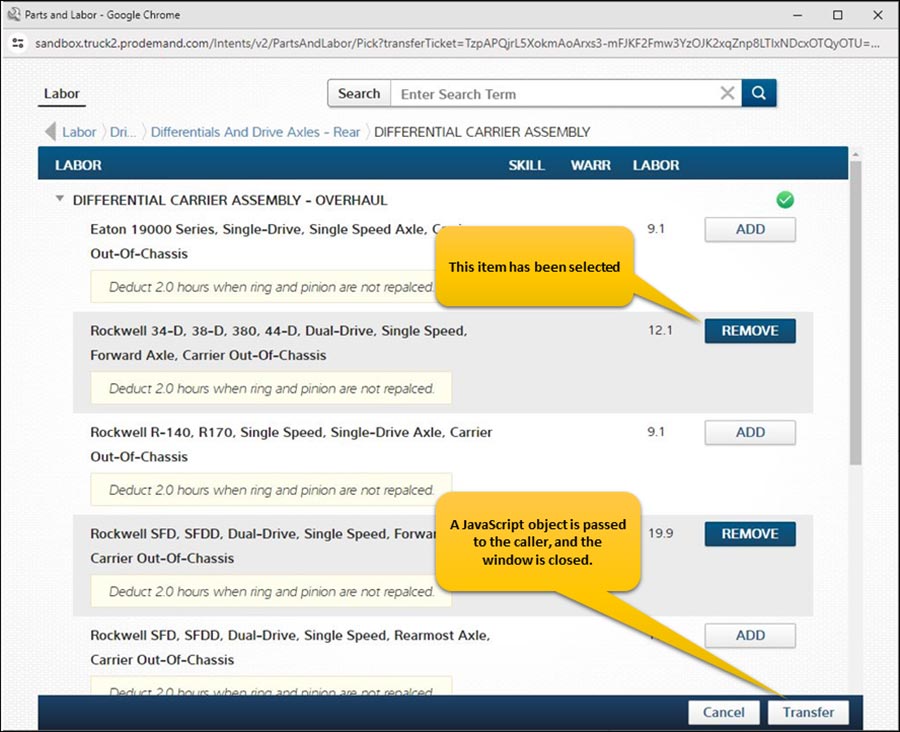
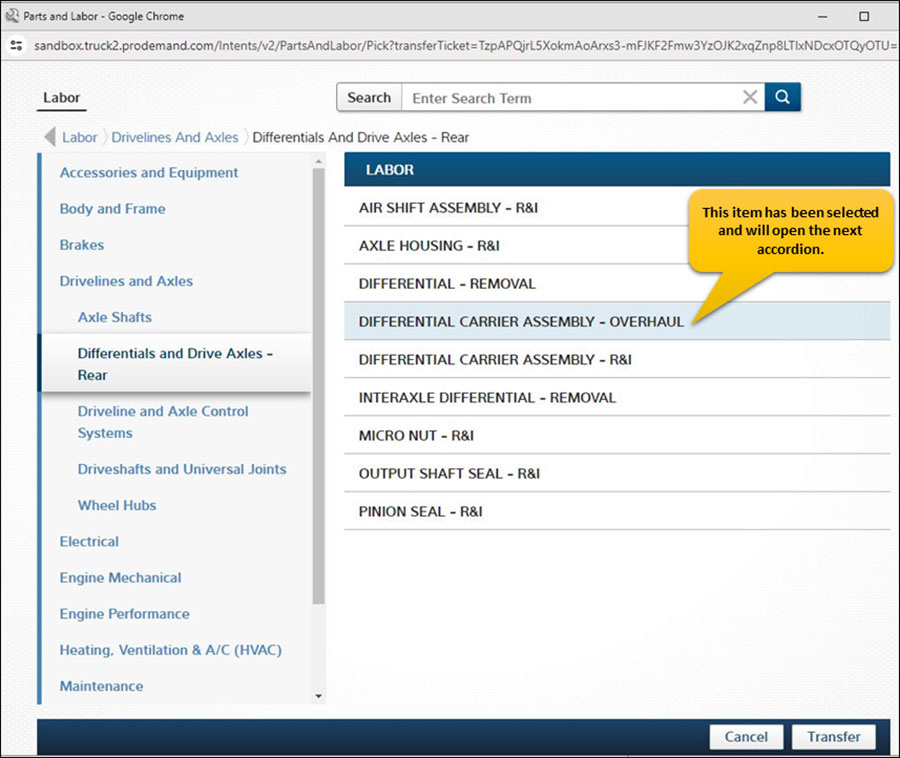
  • The ‘Website UI Integration’ is a self-contained subsection of the ProDemand Truck interface designed to provide access to specific subsets content, such as the ‘Labor’ guide, which contains information on labor hours
  • With this feature, users can select a collection of labor items from the ProDemand Truck interface, which are then returned to the calling program.
  • This mechanism allows users to pass specific vehicle identifiers, such as the VIN and YMM qualifiers, to the ProDemand Truck interface.
  • Using this mechanism, an invoking application can display the UI intent, enable the user to view and select content, and transfer content back to the invoking application
  • TAPE (transfer application public extension) is a workflow that gets you a token, which you then present to the Secure Intents website to consume the intents.
  • Intents, such as the ‘Labor’ intent, are designed for simplicity. They do not display the full ProDemand Truck interface, as shown in the screenshot below:

api Website Integration

api Website Integration

Light Duty – Automotive Website Launcher – ProDemand Complete

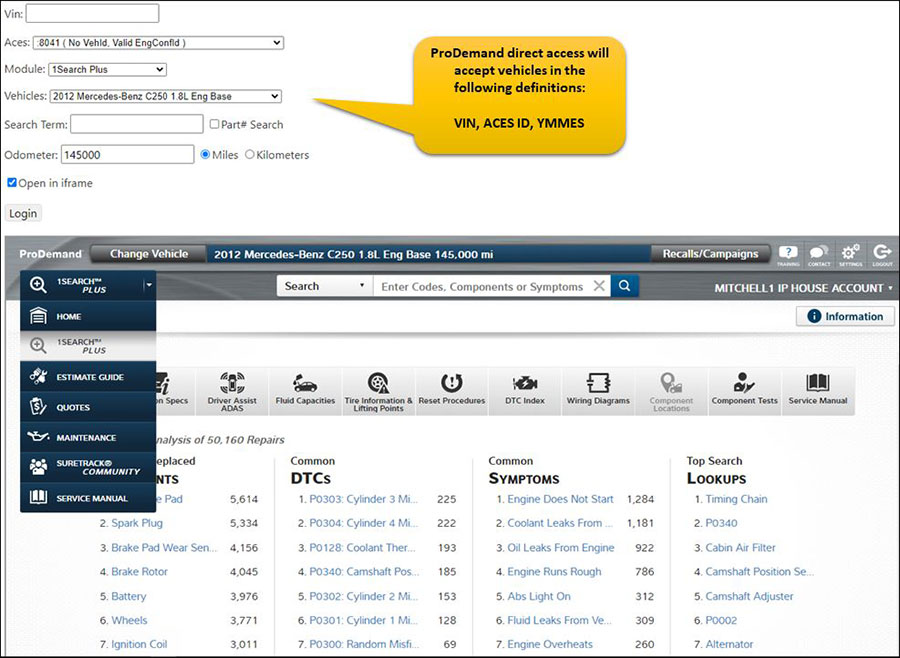
Direct Access—Pass-Through (transfer ticket) streamlines access straight into ProDemand. Depending on the configuration, this workflow uses the user/password credentials or an account number. Your users can launch into ProDemand, assuming they already have an active subscription.

  • This allows an invoking application to pass the searchTerm value, VIN, ACES ID, or YMMES vehicle identity and launch the full ProDemand application
  • Allows the end-user to interact with it directly
  • It does not allow any information to be transferred from ProDemand back to the invoking application

api Website Launcher

Light Duty Automotive – Website UI Integration – ProDemand Estimator

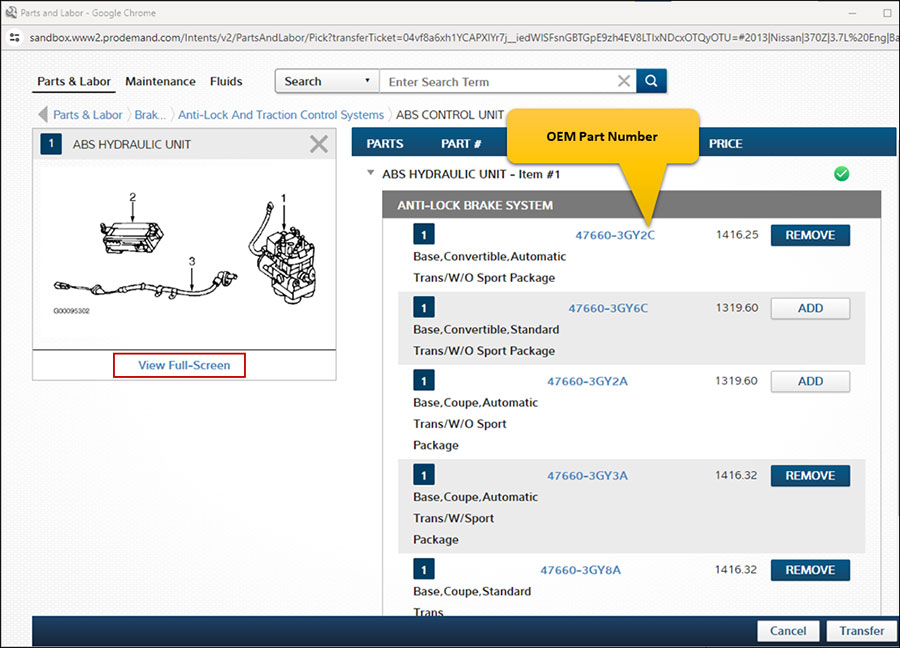
ProDemand Light Duty Automotive has the following mechanisms for application-level integration with our repair content: (Labor, Parts, Fluids, and Maintenance) Your users can launch the ProDemand Light Duty UI sub-sections, assuming they already have an active subscription.

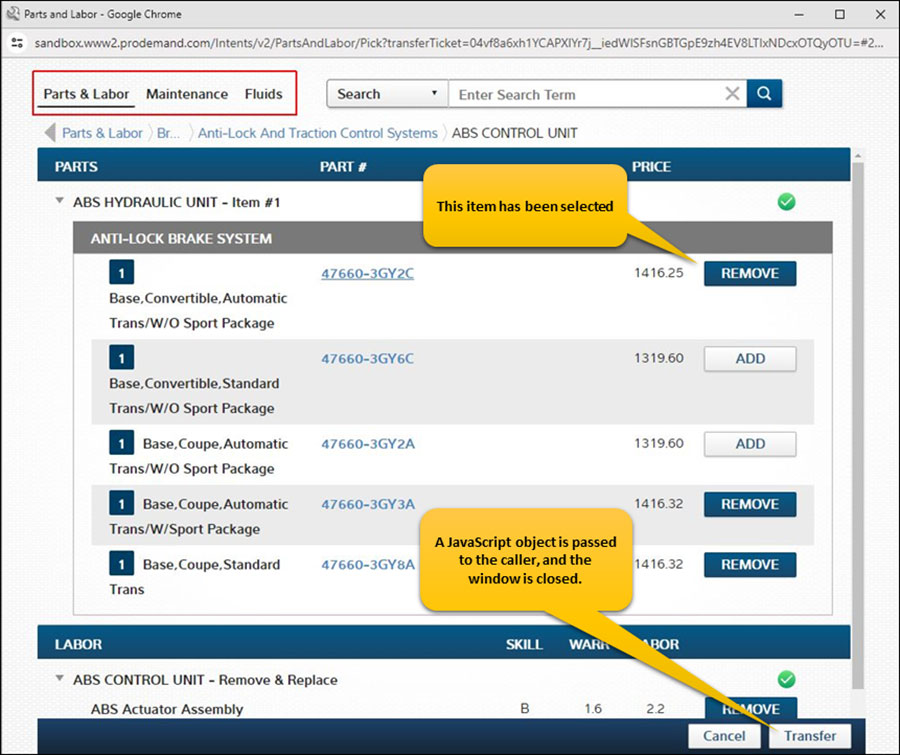
  • The ‘Website UI Integration’ is a self-contained sub-section of the ProDemand interface designed to provide access to specific subsets of repair content, such as the ‘Parts/Labor’ guide. This includes tabs for Labor, Parts, Maintenance, and Fluids, each containing information like cost, labor hours, and part numbers.
  • With this feature, users can select a collection of parts and labor items from the ProDemand interface, which are then returned to the calling program.
  • This mechanism allows users to pass specific vehicle identifiers, such as the VIN, ACES ID, or YMMSE qualifiers, to the ProDemand interface.
  • Using this mechanism, an invoking application can display the UI intent, enable the user to view and select content, and transfer content back to the invoking application
  • TAPE (transfer application public extension) is a workflow that gets you a token, which you then present to the Secure Intents website to consume the intents.
  • Intents do not display the full ProDemand interface; a screenshot of the “Parts & Labor” intent is shown below:

Integration lightduty

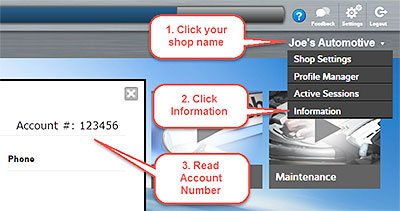
How to find your account number

Ready to See ProDemand+ in Action?Book a quick, no-obligation demo and see how it fits your shop.

Ready to drive more customers to your shop?Book a quick, no obligation demo to get started

Ready to transform your operations?Book a quick, no obligation demo to get started

Ready to speed Class 4-8 truck repairs?Book a quick, no obligation demo to get started

Ready to grow your auto repair business?Book a quick, no obligation demo to get started

Ready to accelerate auto repairs?Book a quick, no obligation demo to get started